Orchestrated Application Failover
Moving applications across clusters can be used for performing production failovers.
Production application failover is a process by which a standby production cluster assumes operations when a primary cluster fails or primary operations are abnormally terminated.
A cluster running Veeam Kasten along with a production application can use workflows provided by Veeam Kasten to organize an orchestrated failover to another cluster.
The following section provides an example of actions (i.e. Failover Action) that can be performed to failover an application between clusters. Actual actions should be adapted per application and cluster configuration.
In addition, most industries have requirements to test their DR plans at regular intervals. With this in mind, this page contains another example set of actions (Failover and FailoverTest Actions) to help with building your own DR procedure.
Failover Action
Failover Action is a set of recommended steps to make a production application DR ready. It is assumed that the customer's cloud infrastructure is able to do production DNS name switchover between clusters in case of production outage. In general, failover of components other than the application running on a Kubernetes cluster is out of scope for this document.
Step 1: Clusters preparation
To organize DR infrastructure at least one standby Kubernetes cluster equipped with Veeam Kasten is required. Depending on production needs a standby cluster can live in the same cloud environment or in a different one.
This document assumes that an application to be failed over is installed in a primary cluster and that it has a working DNS configuration.
See Installing Veeam Kasten for details about installation options.
Step 2: Selection of an external storage
To store application backups, primary and standby clusters must have network connectivity to at least one external storage location (S3, Google Cloud, Azure, etc).
In order to allow access to an external storage location, a corresponding location profile must be configured both on the primary and standby clusters.
See Location Configuration for details about location profiles.
Step 3: Backup configuration
To backup a production application and store it in an external storage location, a backup policy with exports enabled must be configured on the primary cluster.
Depending on needs, the backup policy can also retain periodic local snapshots on the primary cluster for faster local restore, at the expense of some local resources.
Refer to Application-Scoped Policies for details about backup + export policy configuration.
Step 4: Restore configuration
In order to restore an application on the standby side, an import policy must be configured on the standby cluster. Depending on whether a standby cluster is deployed in the same environment or in another the import policy may require applying transformations to some application resources (like Ingress) that might require different configurations between environments.
An import policy can be configured with scheduled runs or can also be ran on demand, for example in the event of an outage, or to test that the import + restore process is working.
Refer to Migrating Applications for details about import + restore configuration. More information about transforms can be found at Transforms page.
Step 5: Triggering failover
When an outage on the primary cluster happens, an import policy on the standby side should be invoked to download and restore an exported backup of the application and restore it.
After any external resources required by the application have also been failed over (such as external DNS entries), a copy of the production application should be up and running instead on the standby cluster.
FailoverTest Action
FailoverTest Action contains a guided example of steps required to build a demonstration of the procedure described in the previous section.
It is assumed that a production cluster is up and running and Veeam Kasten has been installed properly.
For demonstration purposes, a sample Kubernetes application based on the
gcr.io/google_containers/echoserver:1.10 image has been deployed:
$ kubectl create namespace echoserver
$ kubectl create deployment echoserver --image=gcr.io/google_containers/echoserver:1.10 --namespace echoserver
$ kubectl expose deployment echoserver --type=NodePort --port=8080 --namespace echoserver
To provide external access to the application an Ingress resource which uses the NGINX ingress controller has been configured:
$ kubectl apply --namespace=echoserver --filename=- <<EOF
---
apiVersion: networking.k8s.io/v1
kind: Ingress
metadata:
  name: echoserver-ingress
  namespace: echoserver
  annotations:
    kubernetes.io/ingress.class: nginx
spec:
  rules:
    - http:
        paths:
          - path: /
            pathType: ImplementationSpecific
            backend:
              service:
                name: echoserver
                port:
                  number: 8080
EOF
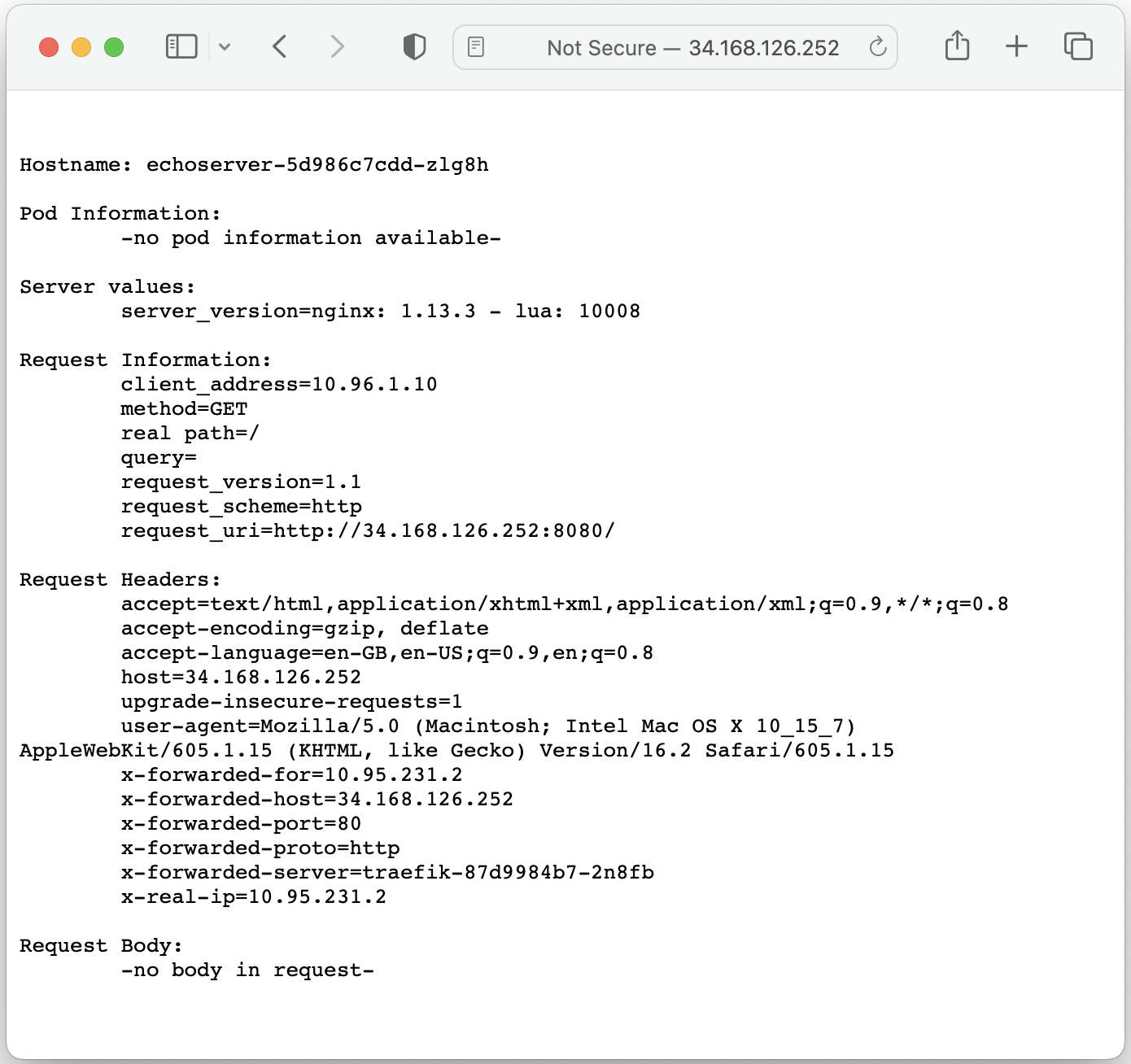
To make sure that the application is accessible via it's external IP address, the following command has been executed:
$ kubectl get ingress echoserver-ingress --namespace echoserver
NAME                 CLASS    HOSTS   ADDRESS         PORTS   AGE
echoserver-ingress   <none>   *       34.83.228.252   80      41s
Step 1: Deploying a standby cluster
For this step a standby Kubernetes cluster with Veeam Kasten installed is required. It is used as the target for the failover operation.
For this demonstration, another Kubernetes cluster has been provisioned and Traefik has been used as the default ingress controller.
Step 2: Location profile configuration
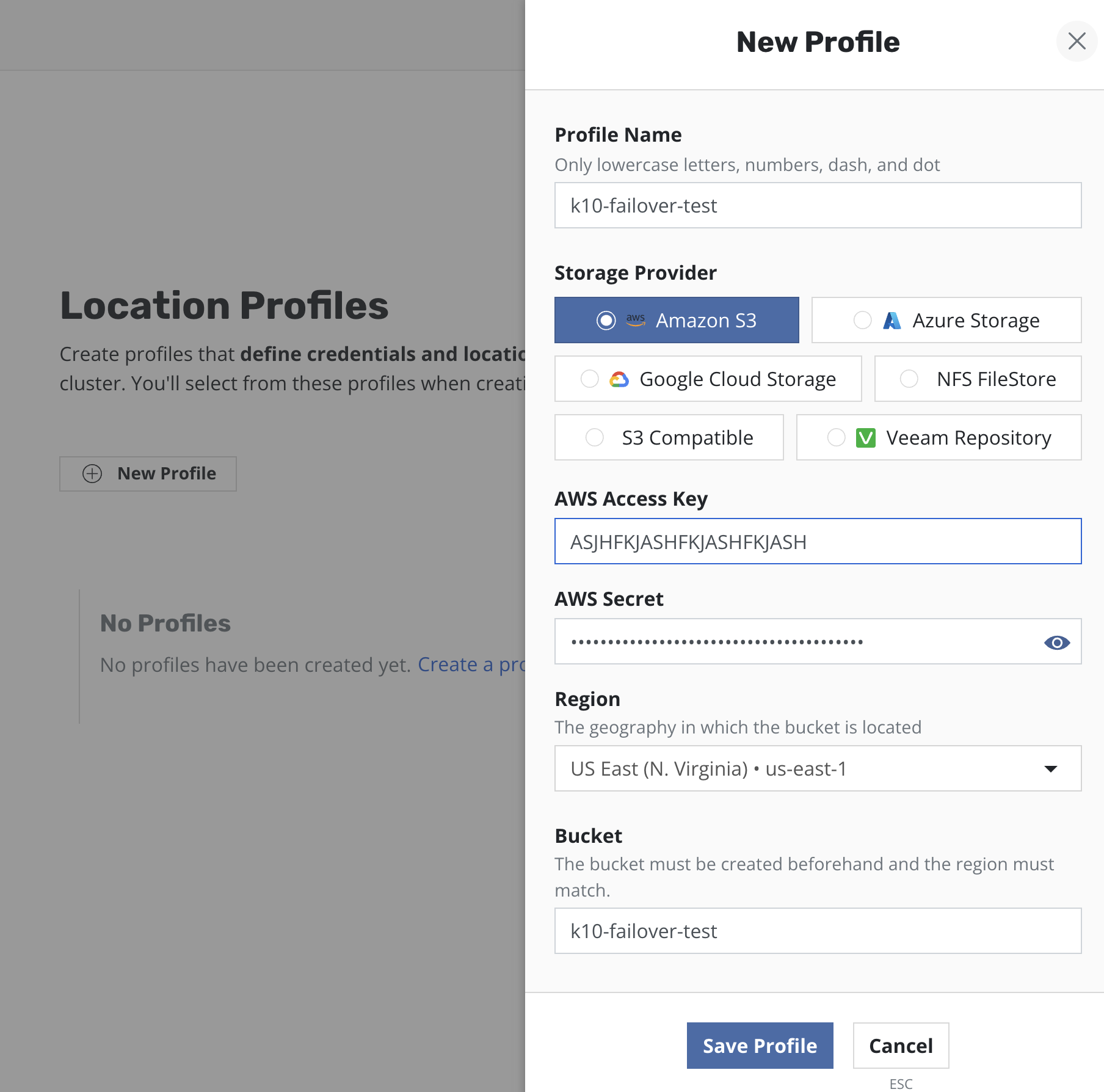
At this step an external storage should be prepared for exporting application backups.
For the purpose of this example, an AWS S3 bucket has been used and location profiles have been created for it both on primary and standby instances of Veeam Kasten:
Step 3: Backup configuration
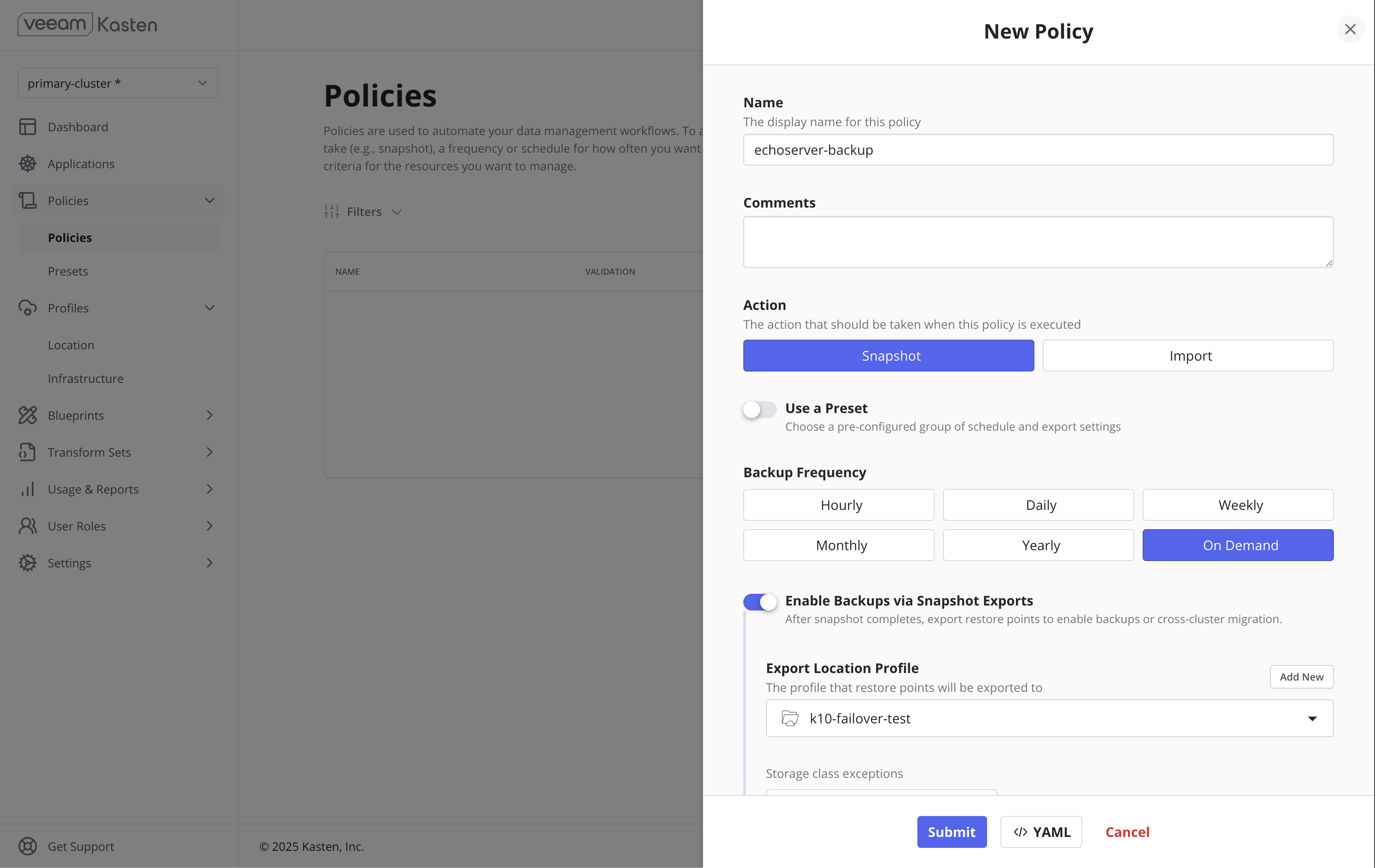
For the purpose of this demonstration, a Snapshot + Export policy has been configured on the primary cluster.
For the purpose of this demonstration, the "on-demand" frequency has been used and the policy has been run on demand.
Step 4: Restore configuration
This step requires an Import + Restore policy to be configured on the standby cluster.
For the purpose of this demonstration, an Import + Restore policy has been configured without a schedule, and has been run on demand.
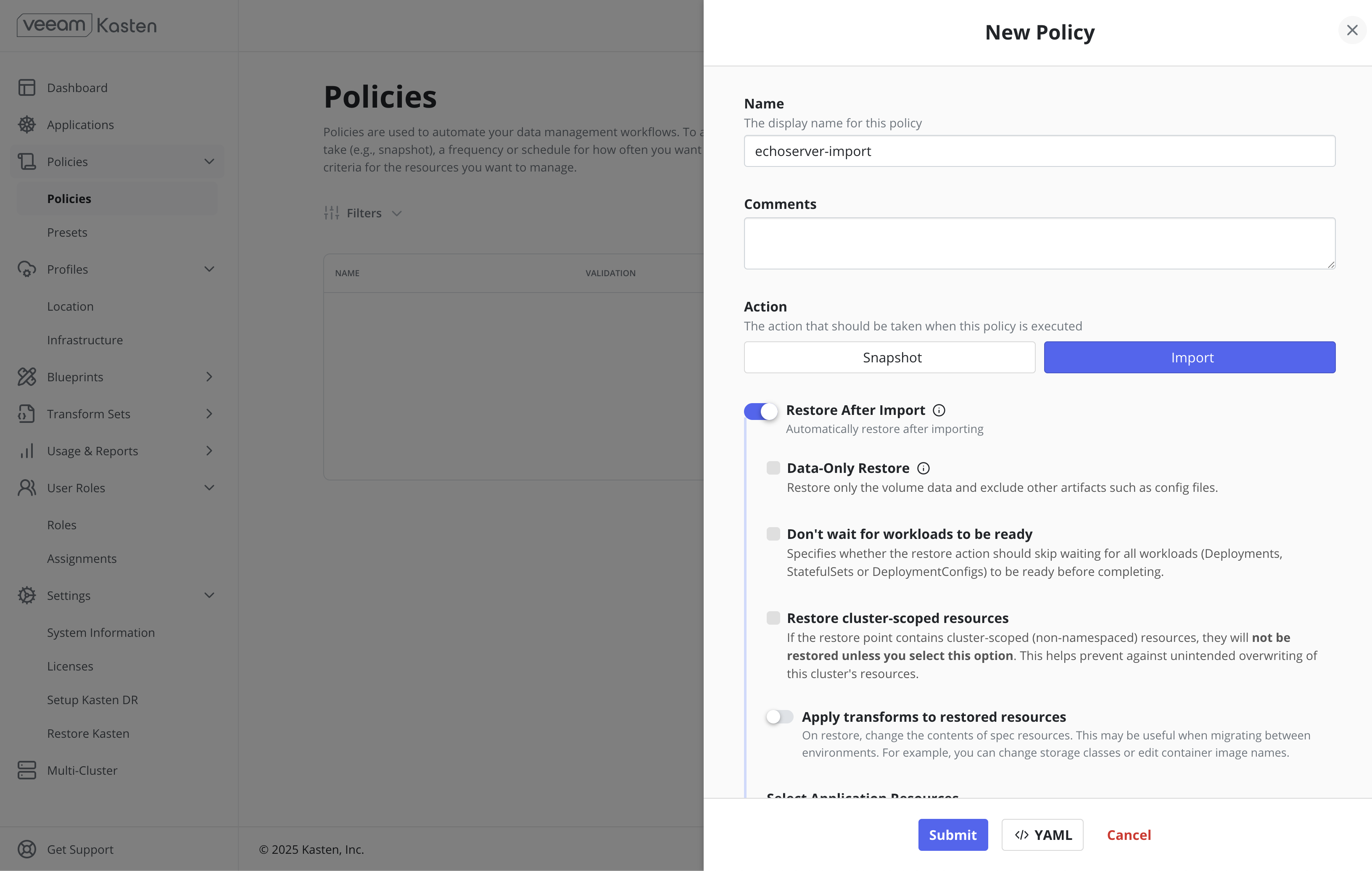
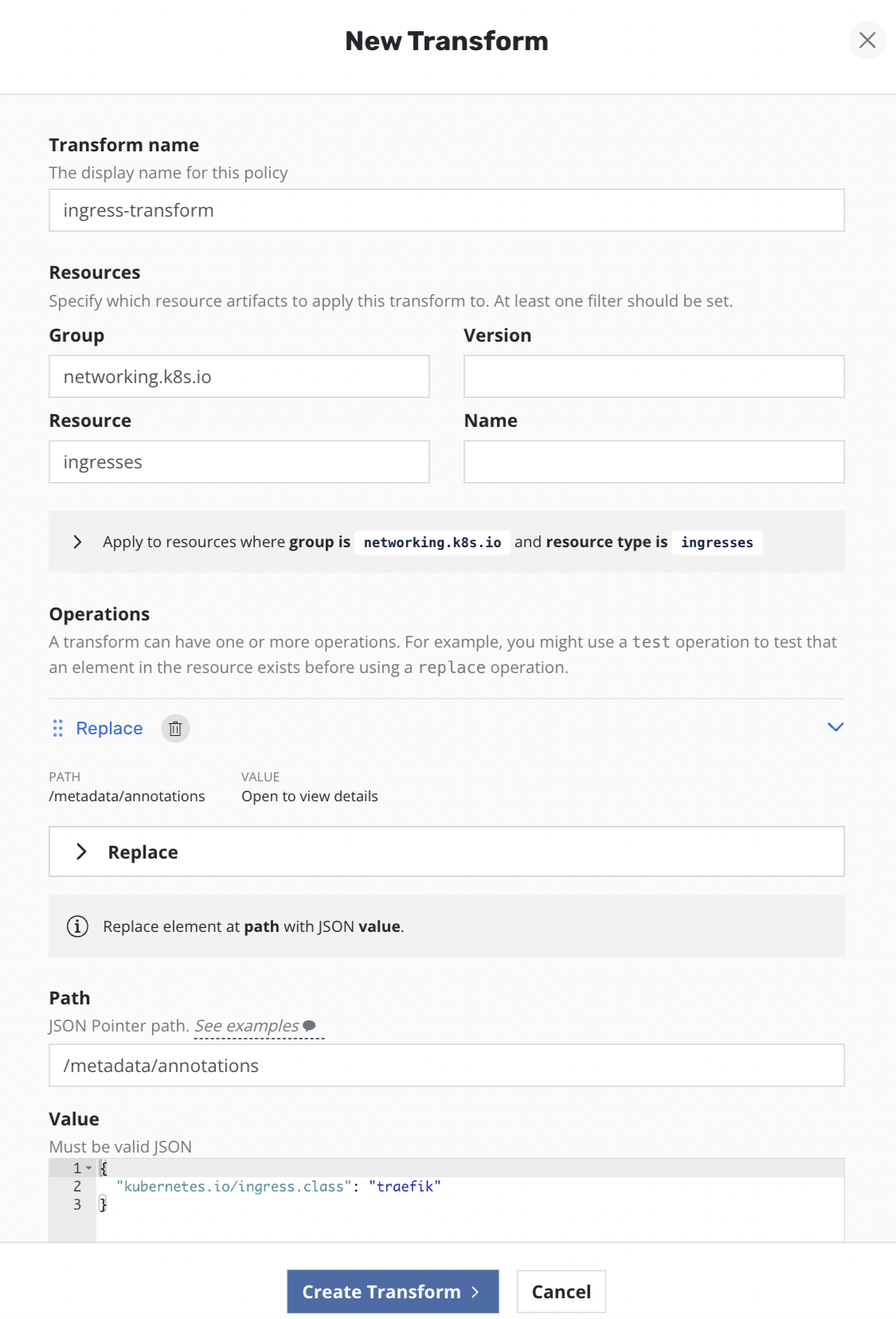
Since both clusters have different ingress controllers, Ingress resources need to be reconfigured on the standby cluster to use Traefik ingress controller instead of NGINX. To achieve this the following transforms have been added to the import + restore policy on the standby cluster to remove NGINX Ingress annotations and add Traefik related settings:
Step 5: Run-once backup
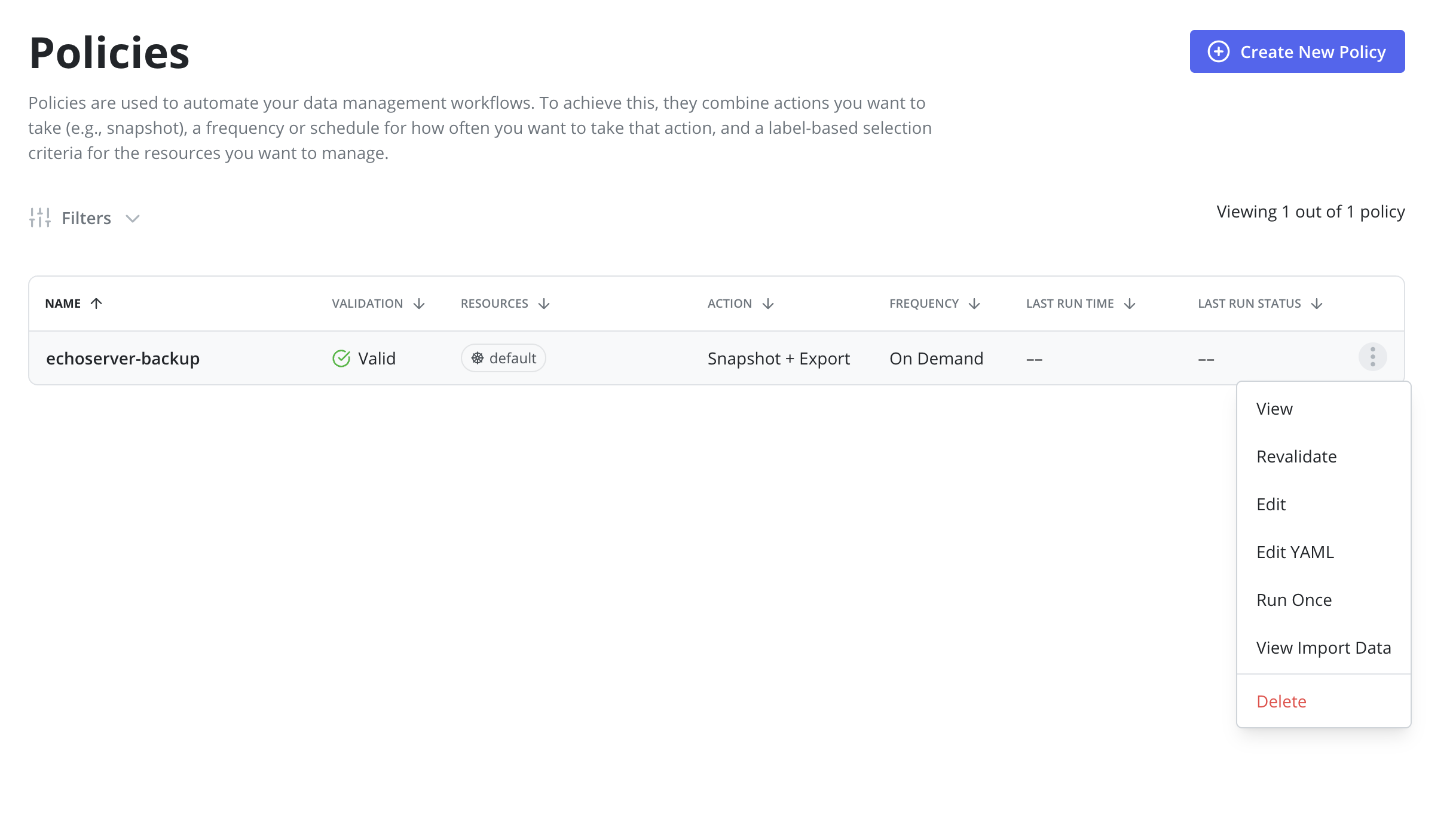
An initial Snapshot + Export has to be successfully performed on the primary cluster.
This can be achieved via clicking the Run Once menu option on the Policies page:
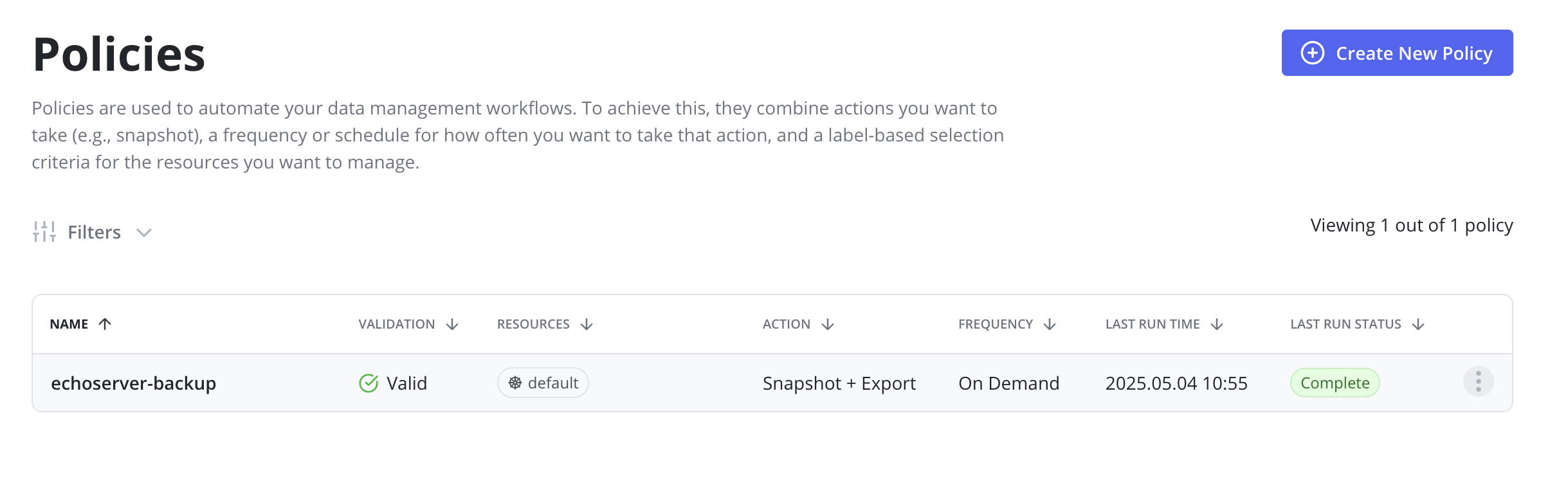
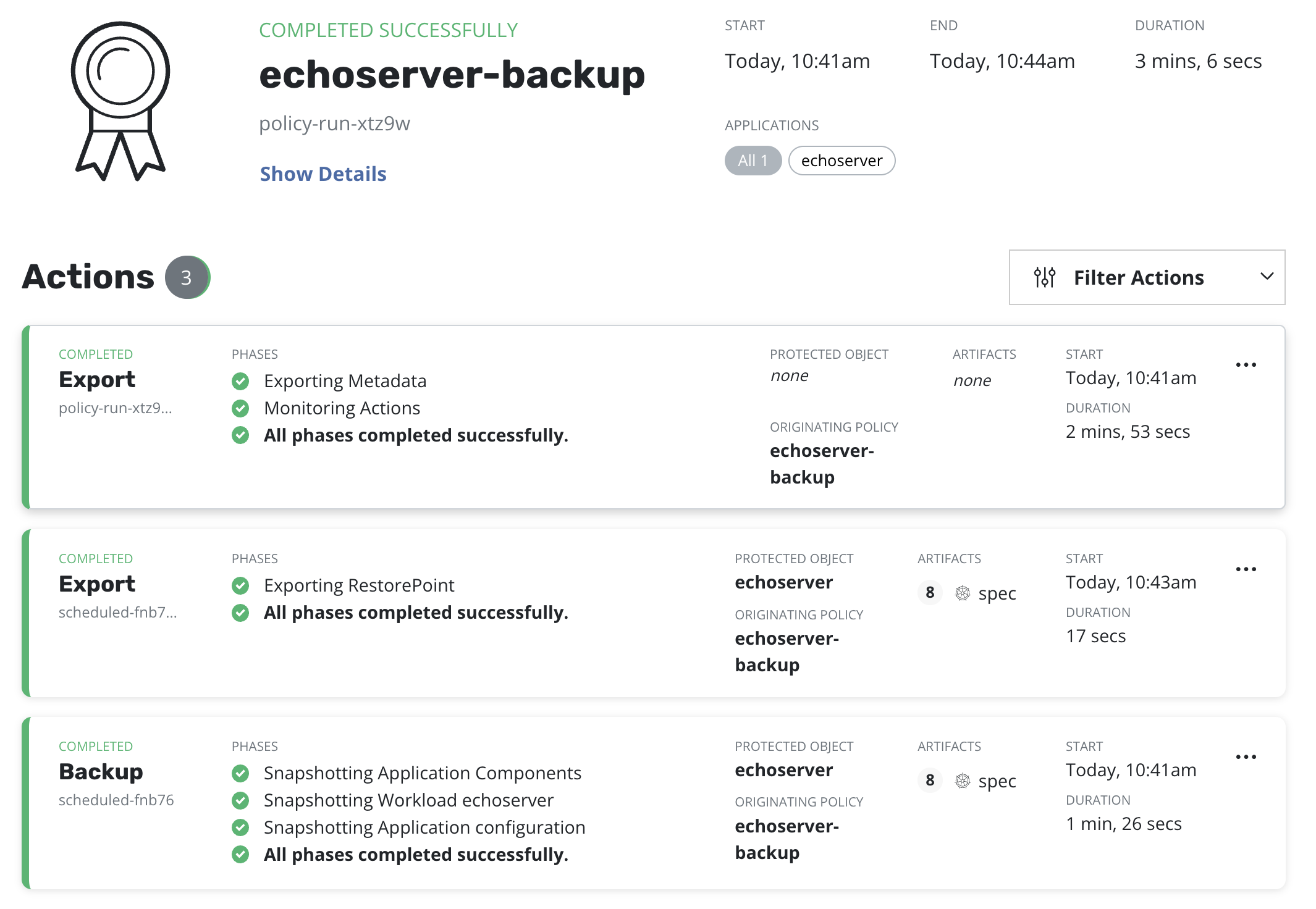
Before moving to the next step it's required to ensure that a corresponding policy run is completed:
Step 6: Run-once restore
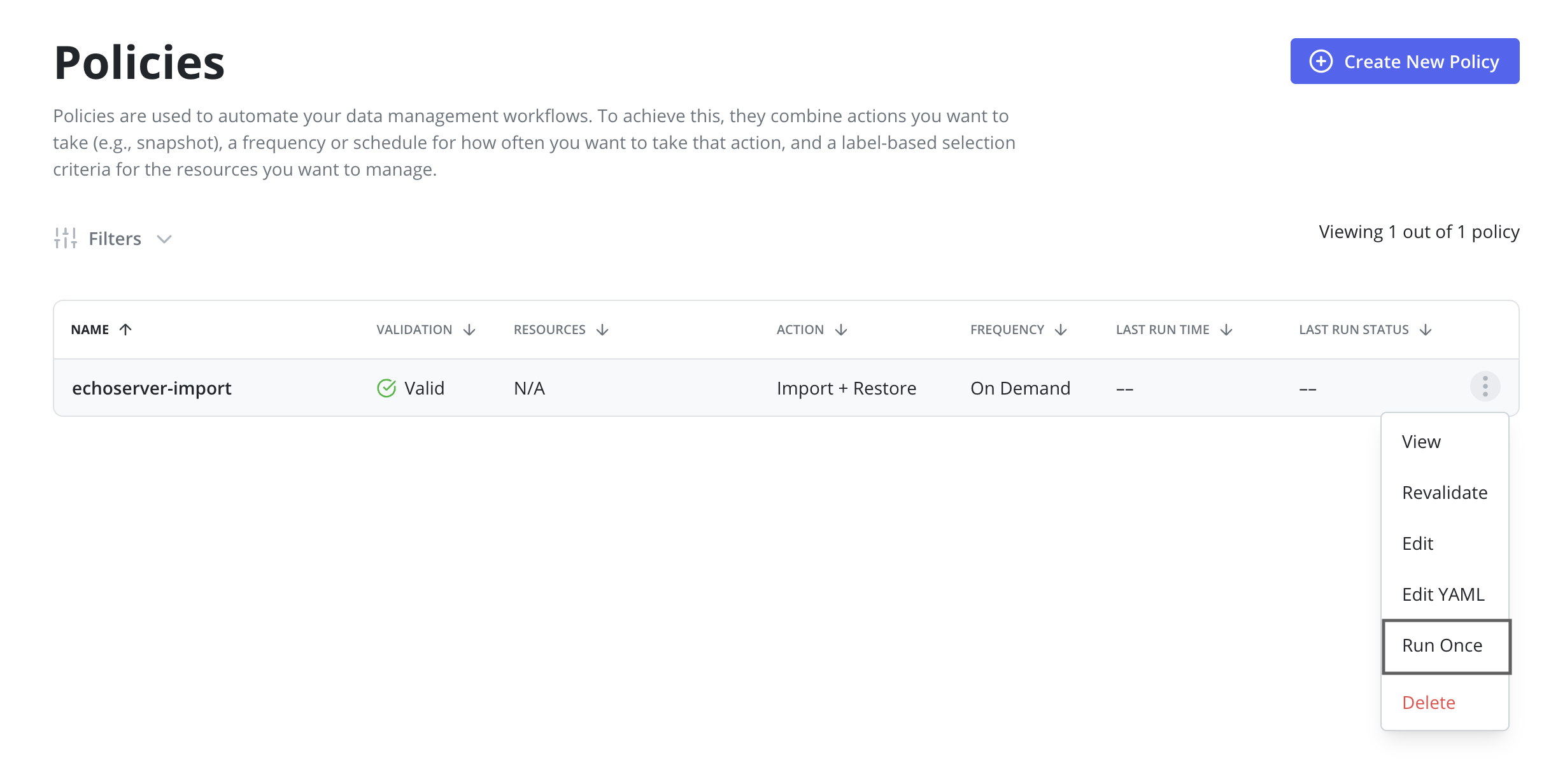
After a backup is completed on the primary cluster a restore on the
standby cluster should be initiated by clicking the Run Once menu option on
the import policy previously created.
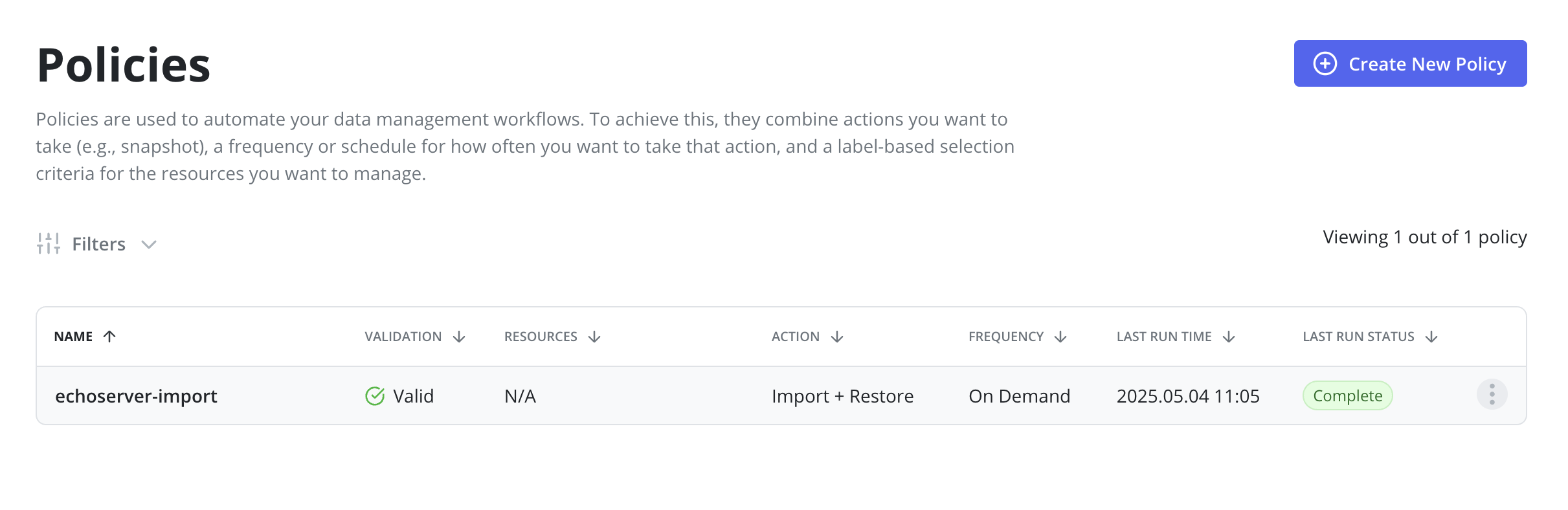
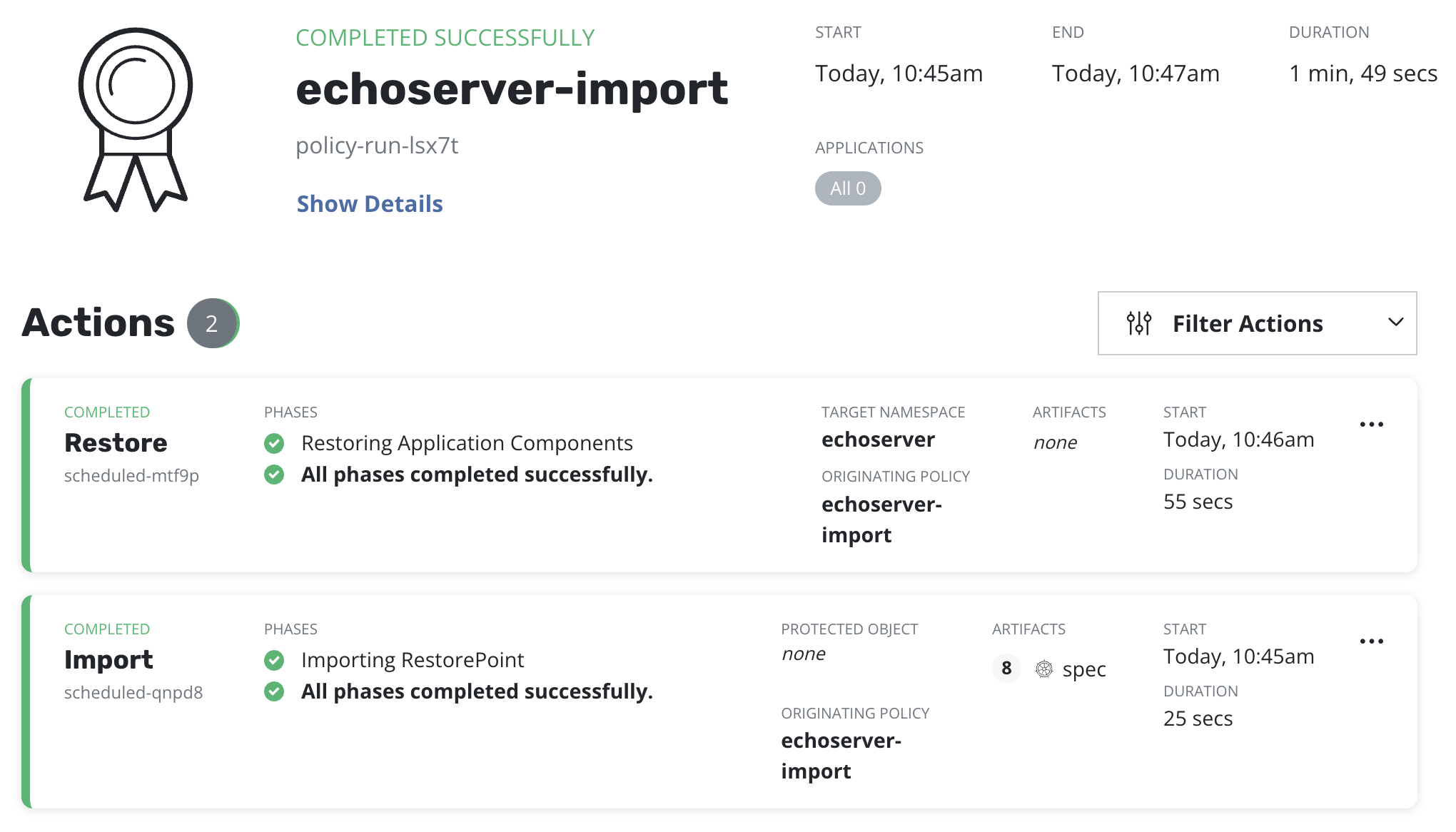
An import policy run should be completed before moving to the next step:
Step 7: Checking an application copy
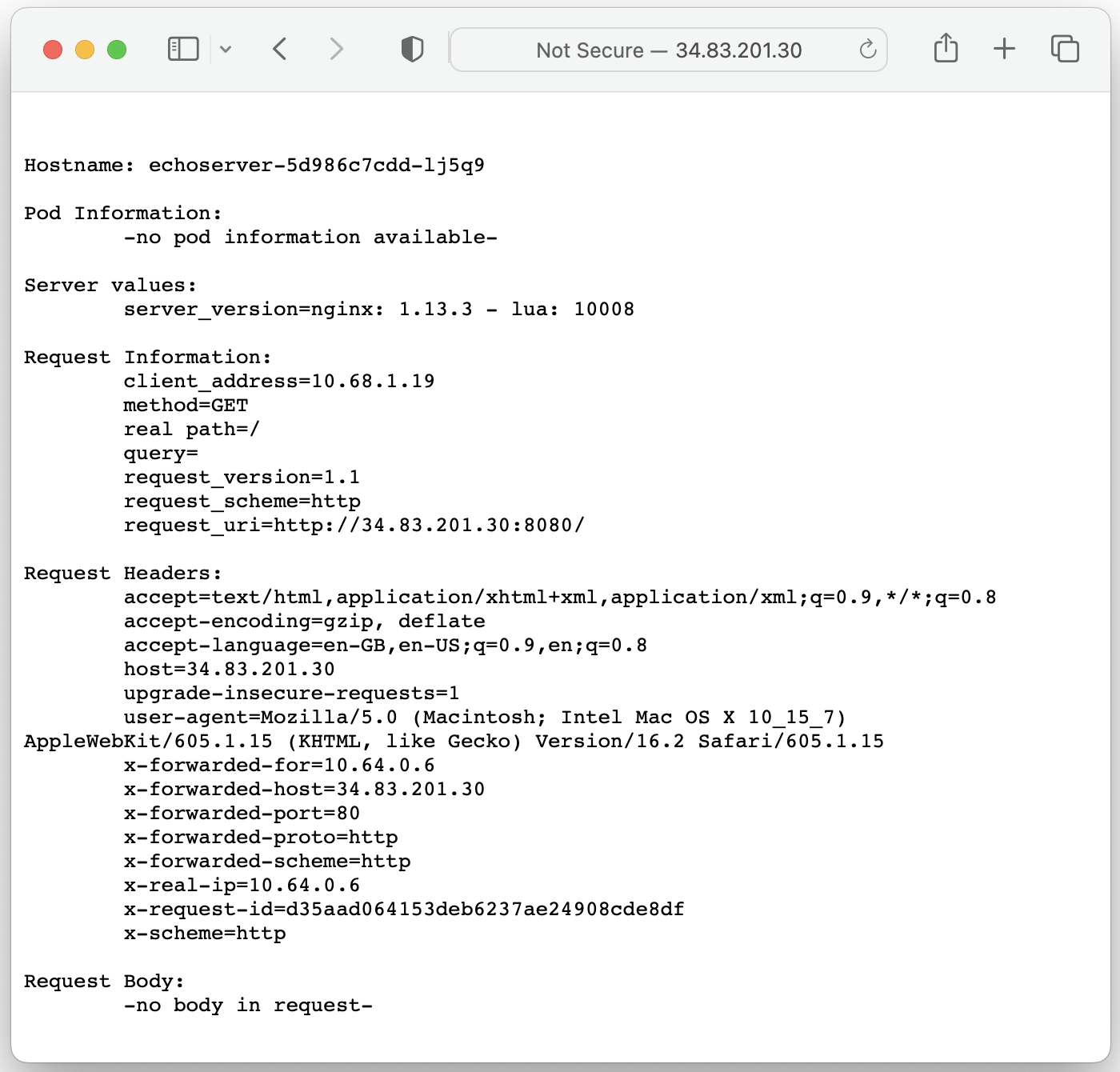
After an import and restore are completed it's required to ensure whether an application is up and running on the standby cluster and that it is accessible externally.
In this case, the Ingress resource got restored with a Traefik ingress class annotation and the application is now accessible via Traefik load balancer's IP address: