Multi-Cluster Access
For users to get access to Multi-Cluster Manager, Multi-Cluster access control can be configured.
Users first need access to clusters joined and available in the Multi-Cluster Manager setup. Refer Multi-Cluster User section for more information.
Configuring Access for Multi-Cluster Users
Veeam Kasten allows users and/or groups to be bound to a list of
clusters with pre-defined K10ClusterRoles. This ensures, users and/or
groups can be given granular access for individual clusters.
Veeam Kasten will handle any Kubernetes roles or bindings required to facilitate the access control.
Because Veeam Kasten handles access control, authentication domains for users/groups can be different on primary and secondary clusters.
Admin users can add or update K10ClusterRoleBindings in the
Multi-Cluster Manager dashboard.
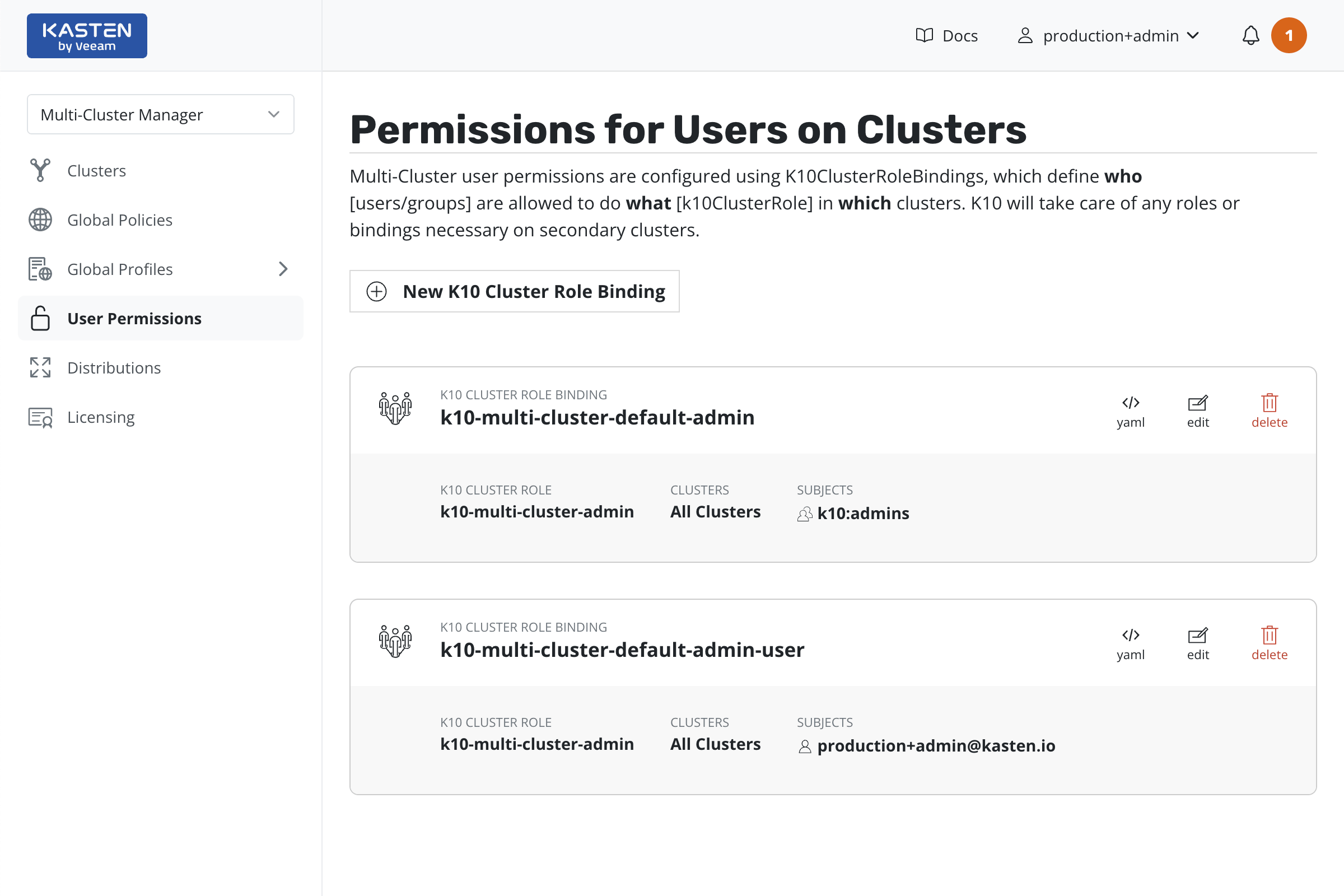
K10ClusterRoleBindings
K10ClusterRoleBindings defines users/groups access to clusters.
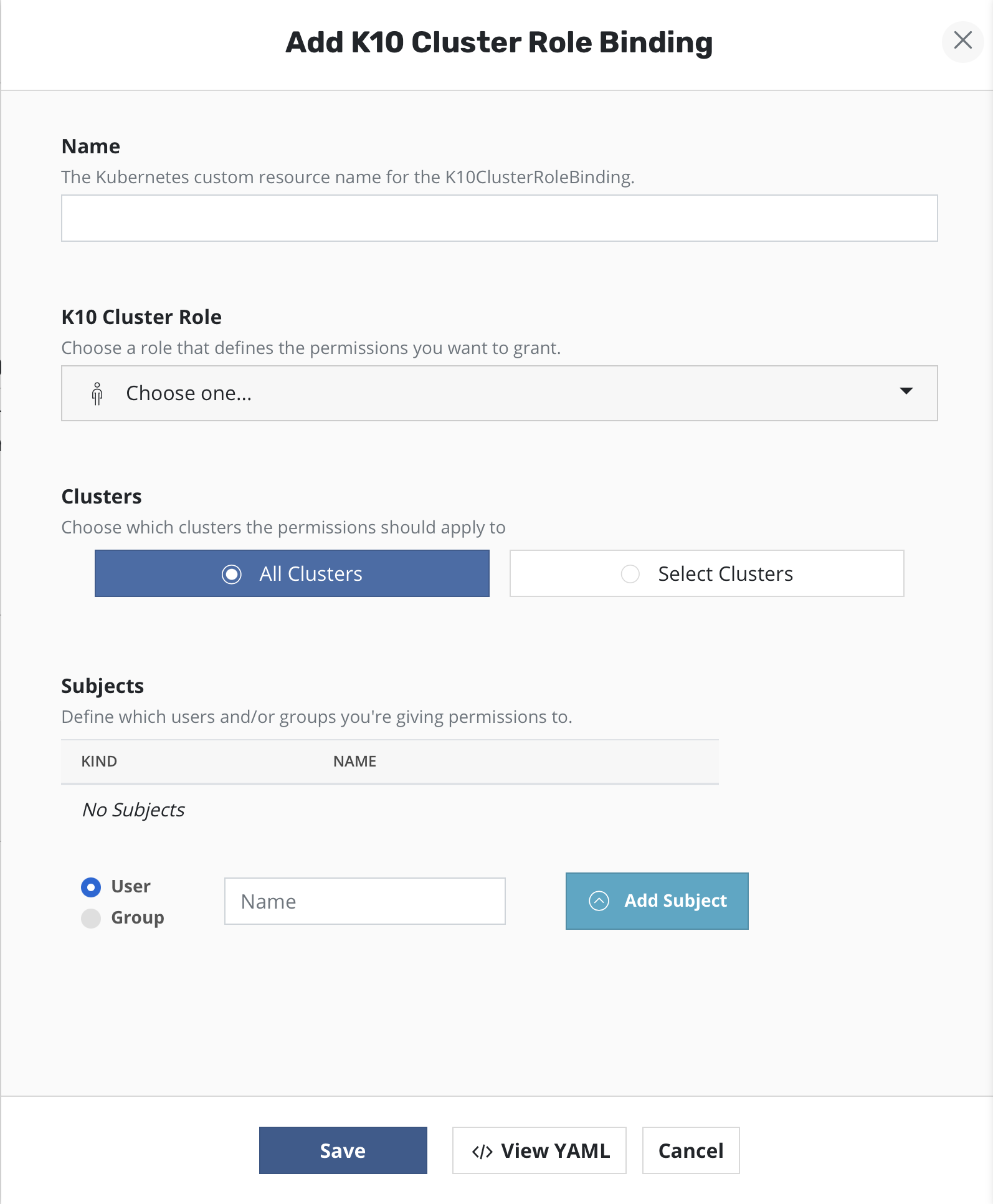
One of the predefined K10ClusterRoles, k10-multi-cluster-admin,
k10-multi-cluster-basic or k10-multi-cluster-config-view, can be
selected.
Either all clusters or a list of clusters can be selected using name or a selector string.
List of users or groups can be added using fully qualified names.
The complete RBAC reference for K10ClusterRoleBindings can be found in
[this../reference/rbac.md#mc_k10crb) section.